Work Placement Management for Vocational Training Providers and Higher Education
Stop tracking who's placed where in a spreadsheet nobody trusts
SELMA's Placement module manages the full lifecycle of a student's work placement or practicum, connecting students to host employers, tracking every placement detail, and keeping it all linked back to the student's enrolment record. Built for vocational training providers, polytechnics, and any institution that coordinates practicums, internships, or industry placements itself, it replaces manual tracking with a structured, auditable record of who is placed where, in what role, and for how long, so your team always knows the answer without chasing it down.
Employer and Job Position Management
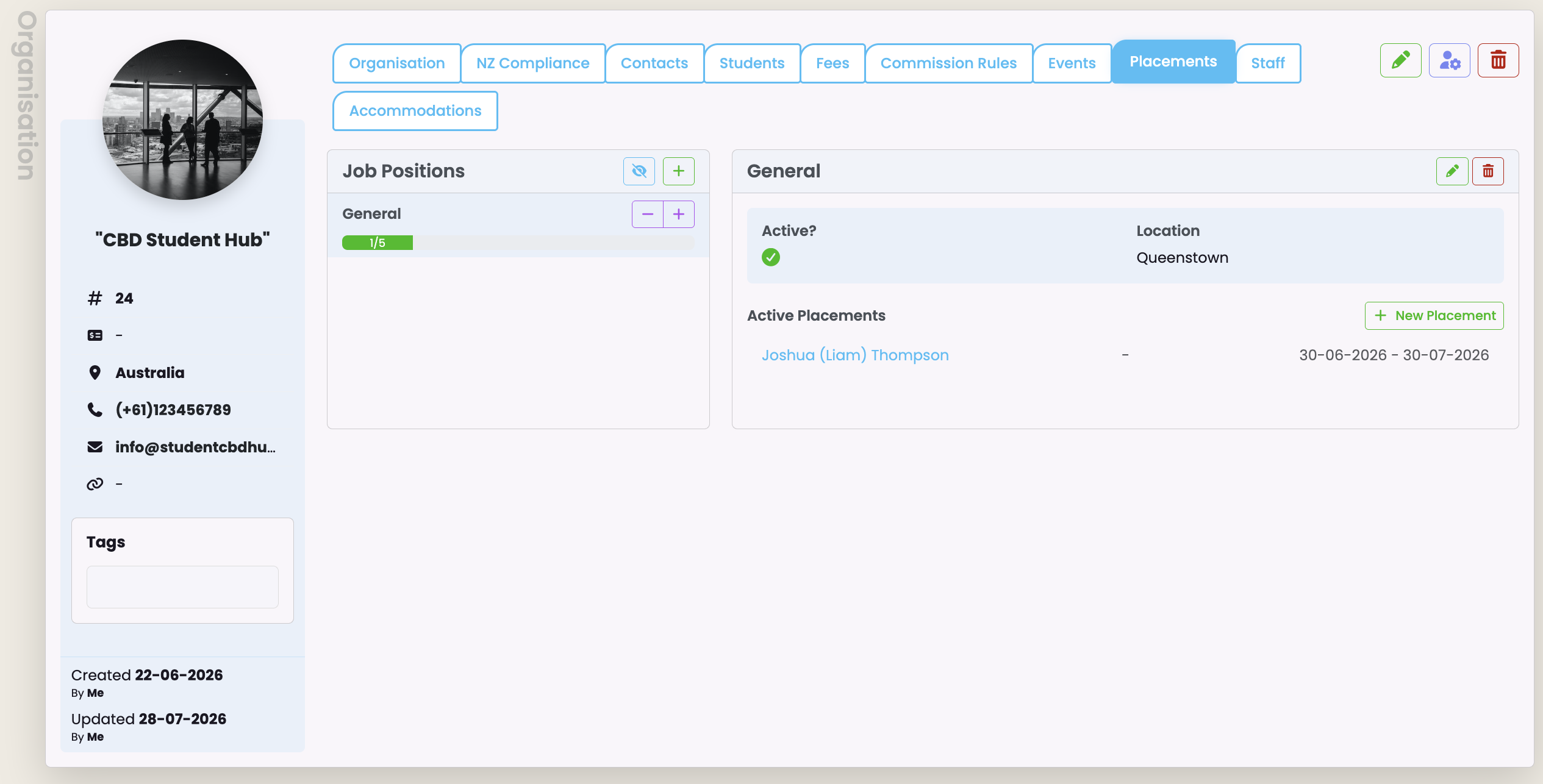
Host employers are managed as Organisations within SELMA, each with one or more Job Positions, reusable roles that record location, description, requirements, and a maximum capacity.
- Capacity is live: staff see at a glance how many slots are filled, how many remain, and when the next slot opens based on current placement end dates
- Adjust capacity directly from the organisation screen with a single click, or set a position to unlimited if there's no cap to manage
- Job positions can't be deleted while any placement references them, so your placement history is always protected
Know exactly how much capacity each employer has left, without a single phone call.
.png)
A Placement Record for Every Detail That Matters
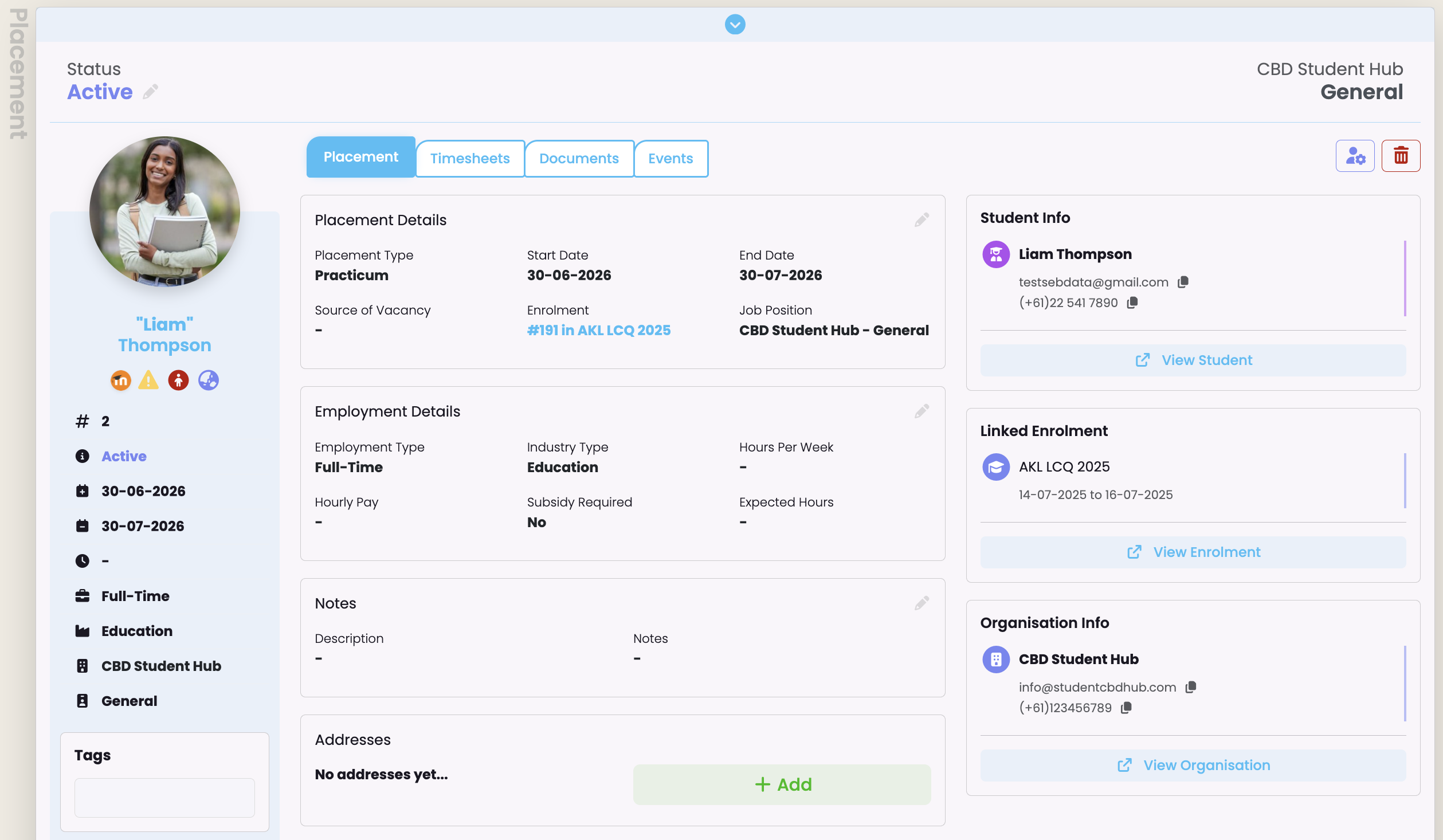
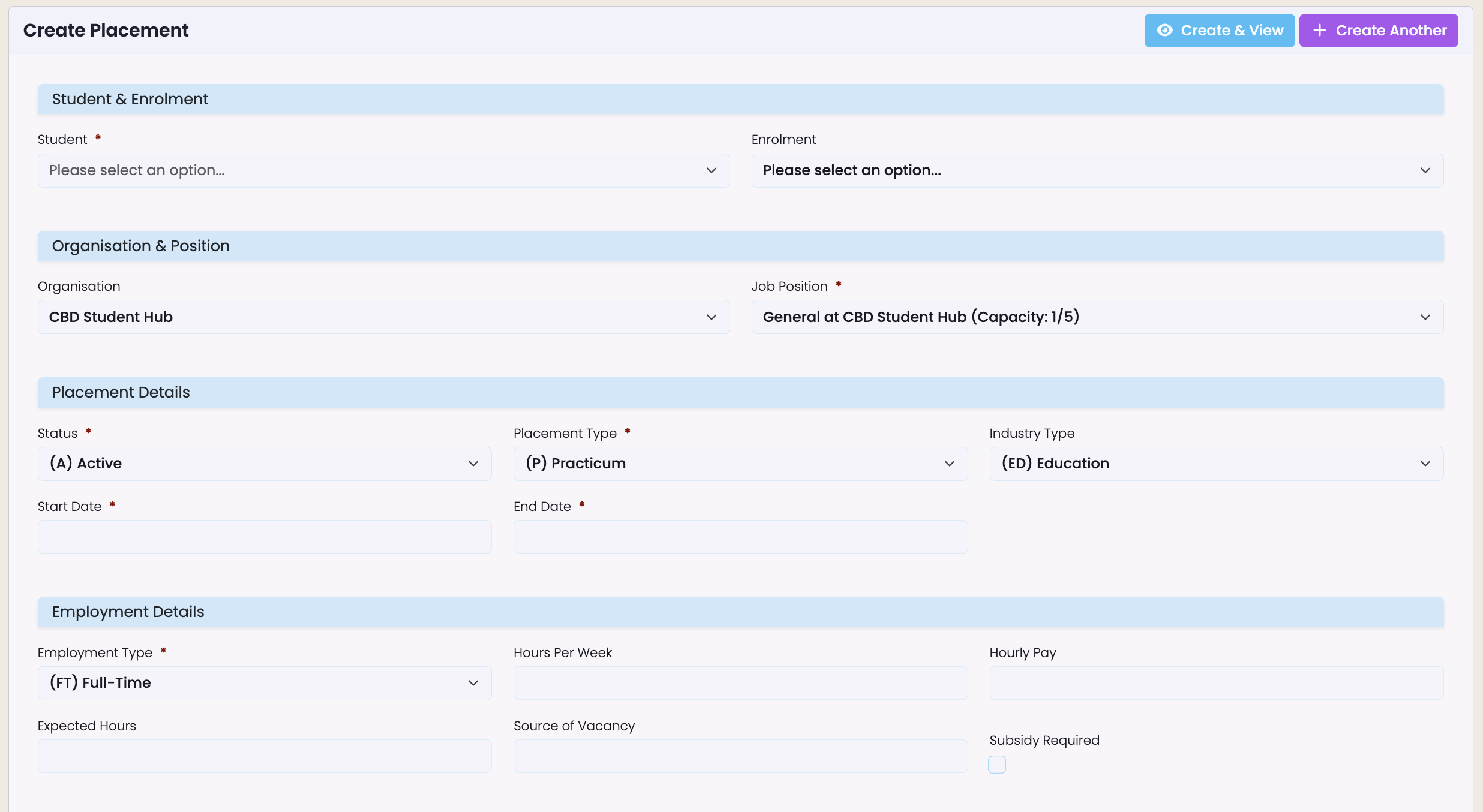
A placement links a student to a job position at a host employer, capturing start and end dates, placement type, employment type, status, and an assigned supervisor contact, optionally tied to a specific enrolment so it forms part of the student's formal training record.
- Create a placement from the student's profile, the employer's organisation screen, or a dedicated placement screen, with context pre-filled to save re-entry
- Optional fields cover expected hours, hourly pay, subsidy requirements, source of vacancy, and notes, so nothing gets tracked in a side document
- Overbooking prevention disables any job position already at capacity, so staff can never accidentally over-allocate a full role
Capture everything about a placement once, in one place, instead of across emails and spreadsheets.

Statuses and Classifications That Match How You Work
Placements move through configurable statuses, Pending, Active, Completed, and Inactive by default, with placement type, employment type, and industry type all adaptable to your institution's own terminology.
- Only Active placements count toward employer capacity, so your numbers always reflect who's actually on-site
- The system blocks staff from activating a new placement against a role that's already full
- Every lookup value, from placement type to industry classification, is configurable per account, with no code changes required
Run placements using your institution's language and rules, not a generic template.
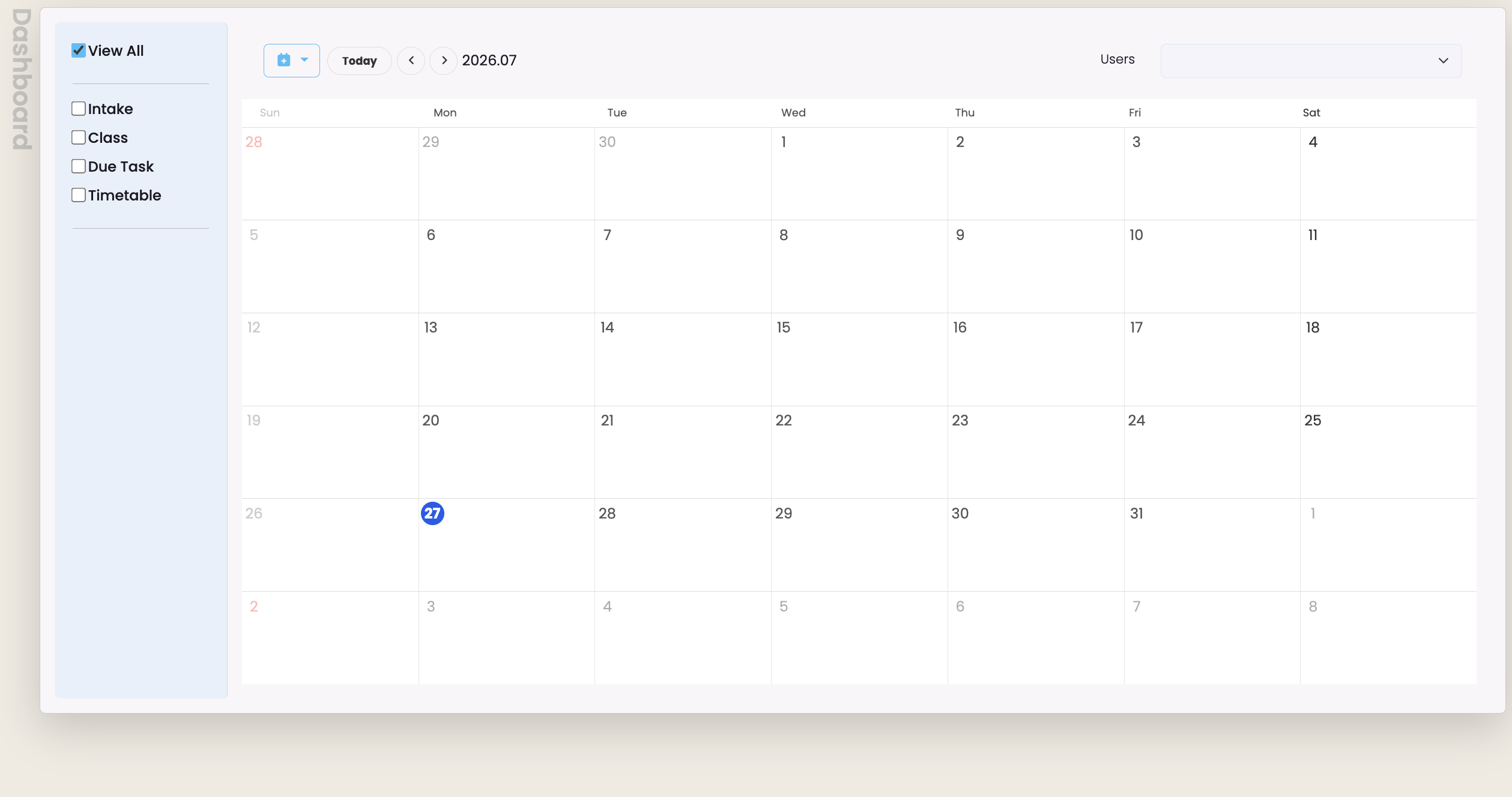
Hours Tracking, With Timesheet Approval on the Way
Expected hours can be recorded directly on the placement, or estimated automatically from weekly hours and placement duration, giving staff a clear reference point for reporting today.
- Both recorded and estimated hours sit on the placement record for easy comparison and reporting
- The underlying framework for in-app timesheet submission and supervisor approval is already built into the platform
- A dedicated interface for students or supervisors to submit and approve worked hours directly in SELMA is on our roadmap
Track expected hours now, with a fully in-app timesheet workflow coming soon.
Documents, Communication, and a Full Audit Trail
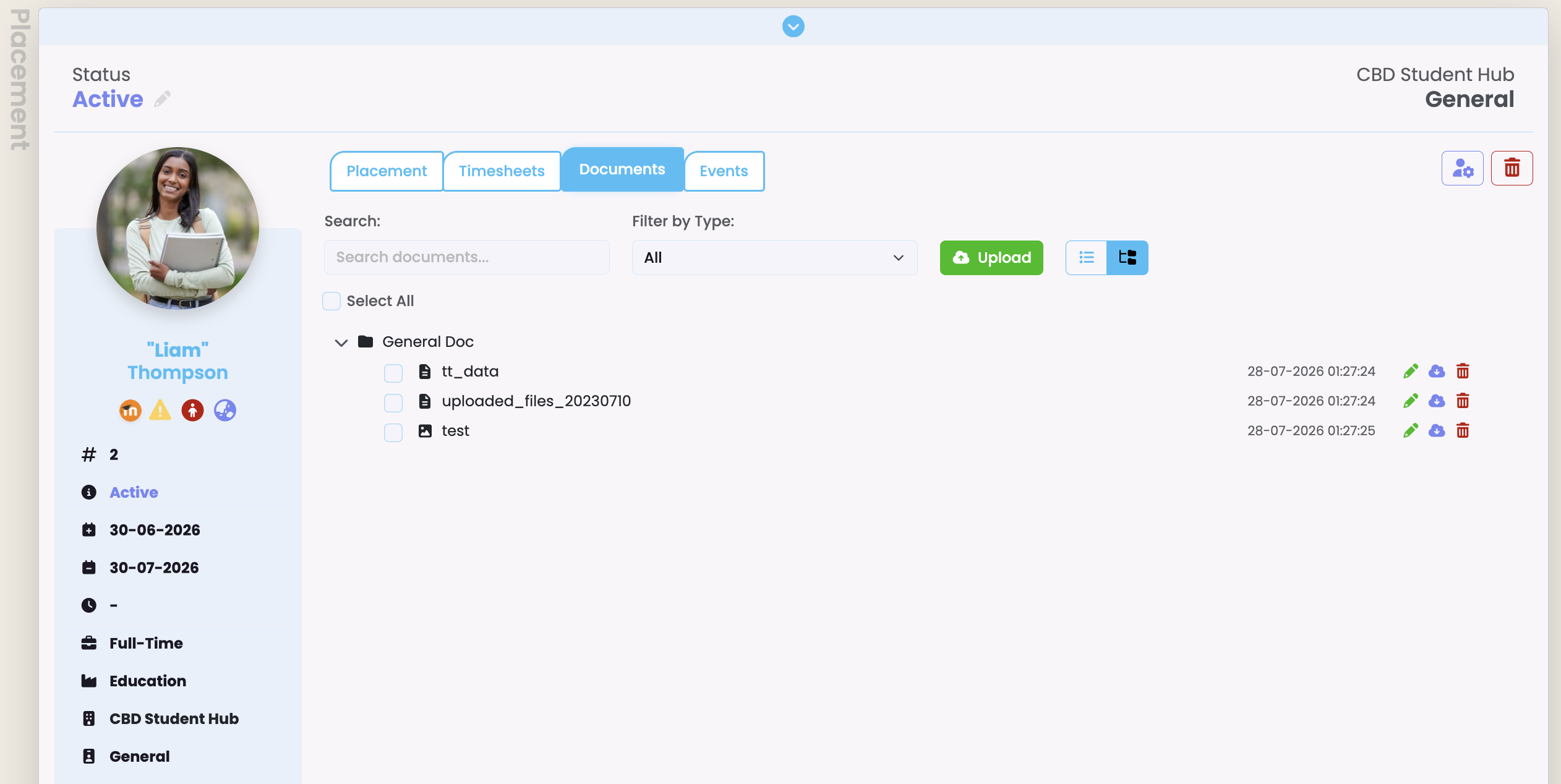
Placement agreements, health and safety checklists, and supervisor sign-off forms can be uploaded directly to the placement record, and emails to the student, supervisor, or any other contact can be sent from the same screen using placement-specific merge fields.
- Merge fields automatically pull in the student's name, employer, job position, supervisor, dates, and status, so there's no manual copy-paste
- Every email sent is logged against the placement's communication history
- A full event log, tags, custom fields, and alerts keep every placement auditable and easy to find
Keep every document, email, and decision tied to the placement it belongs to, permanently.
Frequently Asked Questions
01.
What is SELMA's Placement module?
02.
Who is the Placement module built for?
03.
How does SELMA manage employer capacity?
04.
Can a placement be linked to a student's enrolment?
05.
What information does a placement record capture?
06.
Does SELMA track hours worked during a placement?
07.
Can documents be attached to a placement?
08.
Can staff email students or supervisors from within a placement?
09.
What placement statuses does SELMA support?
10.
Is placement data available for reporting?
11.
What happens to placements if a student record is merged or an enrolment is removed?